An online whiteboard on the office wall.
Walk up to the whiteboard and draw. Everyone in the office sees the same board, and what's on it stays for next time.
One price for the whole team · No card needed
By Jitto Joseph
A whiteboard on the wall, not in another tab
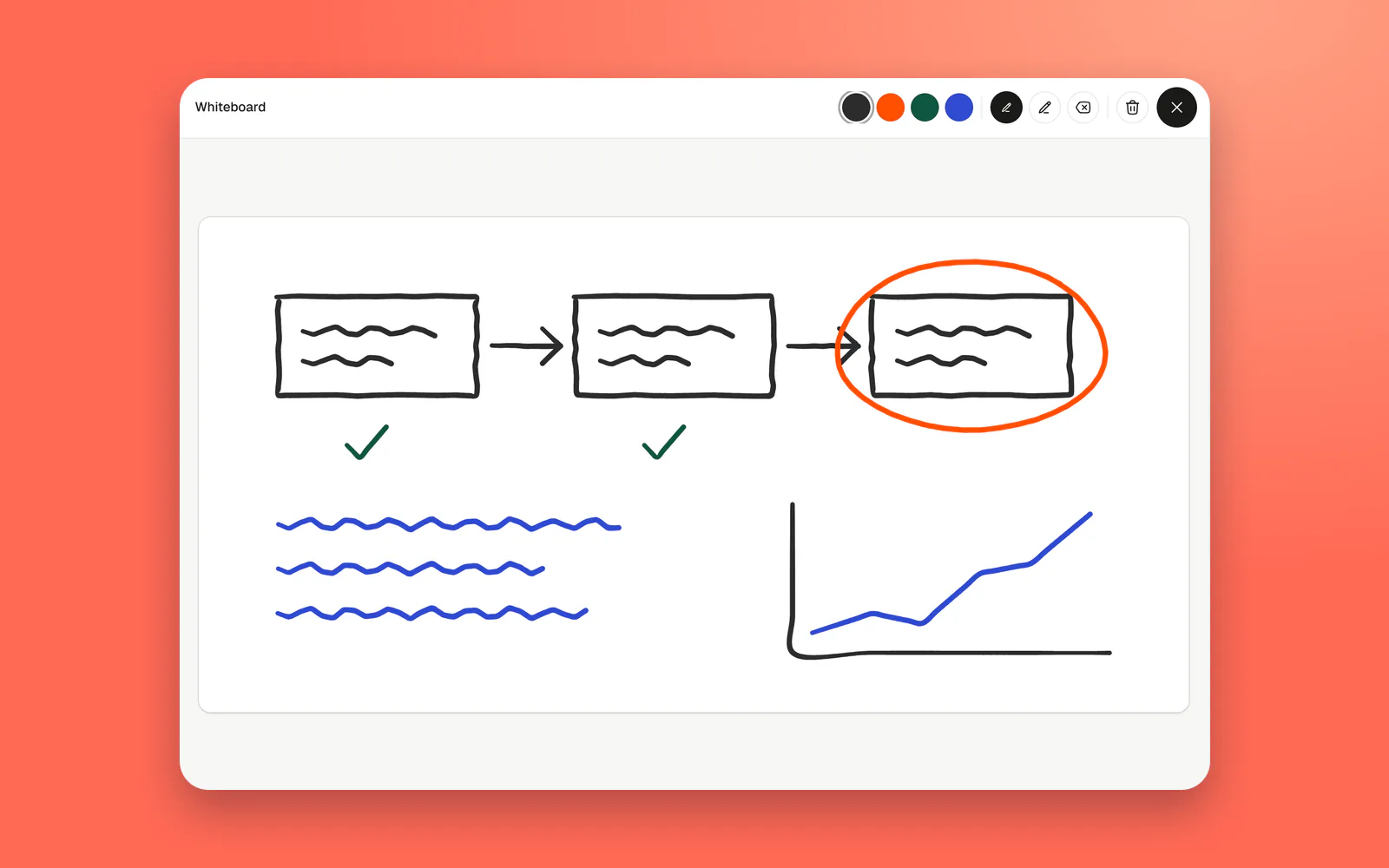
Most online whiteboards are a separate app: make a board, share a link, wait for people to open it. On TinyFloor the board hangs on the office wall. Walk up to it and draw, and everyone looking sees the same strokes as you make them.
What's on it
| How it works | |
|---|---|
| Pens | Four colours: black, orange, green and blue, in a fine and a thick size. |
| Eraser | Rub out part of a drawing without starting again. |
| Clear | Wipe the whole board when you're done. |
| Live | Everyone at the board sees each stroke as it's drawn. |
| Kept | What's drawn stays for next time. When the board is very full, the oldest strokes make way for new ones. |
| One board | One board per office, shared by everyone in it. |
What it's good for
- Explaining while you talk. A box, two arrows and a database is often all it takes to make a design clear in a call.
- Planning on the wall. This week's priorities, a release checklist or who's on support, left up for everyone to see.
- Sketching an interface. A rough layout before anyone opens a design tool, so people argue about the idea, not the pixels.
- A note for the morning. A question, a drawing or a poll left on the board for whoever comes in first.
Tips for drawing together
- Talk while you draw. Start a call or a meeting first. A sketch with someone explaining it beats a perfect diagram in silence.
- Pick a colour each. With four colours, each person in a small group can have their own, so it's clear who suggested what.
- Take a screenshot of what matters. Before you clear the board, capture anything you'll need and post the decision in the team chat.
- Keep the big diagrams elsewhere. Architecture, user flows and roadmaps that live for months belong in your design or diagram tool.
What it doesn't do
It's a pen-and-eraser board. There's no text tool, no shapes or sticky notes, no images, no undo, no templates and no export, and an office has one board rather than many. For workshops, retrospectives with sticky notes or detailed diagrams, Miro, FigJam or Excalidraw do far more. The TinyFloor board is for the quick sketch while you talk.
Common questions.
Is the whiteboard shared with the whole office?
Yes. Everyone in the office sees the same board.
Can we rub things out?
Yes. Use the eraser, or clear the whole board when you are done.
Does it replace Miro or FigJam?
No. It's for quick sketches while you talk. Keep your design tools for bigger work.
Is it on every plan?
Yes. Every plan has every feature, the free one included.
Still wondering? Try the demo office and see for yourself.
Related guides.
- Virtual team building activities20 virtual team building activities sorted by time: 5-minute starters, 30-minute games, monthly events and ideas that need no meeting at all.

- Games for virtual meetings15 quick games for virtual meetings that need no preparation: talking games, guessing games and drawing games that fit in five minutes.

- Retrospective ideas15 retrospective ideas for remote teams: quick formats, visual formats, deeper formats and ones that lift the mood, with how to run a retro online and keep the actions moving.
Keep exploring.
Give your teama floor to share.
14 days of Pro for every new office · Runs on Cloudflare