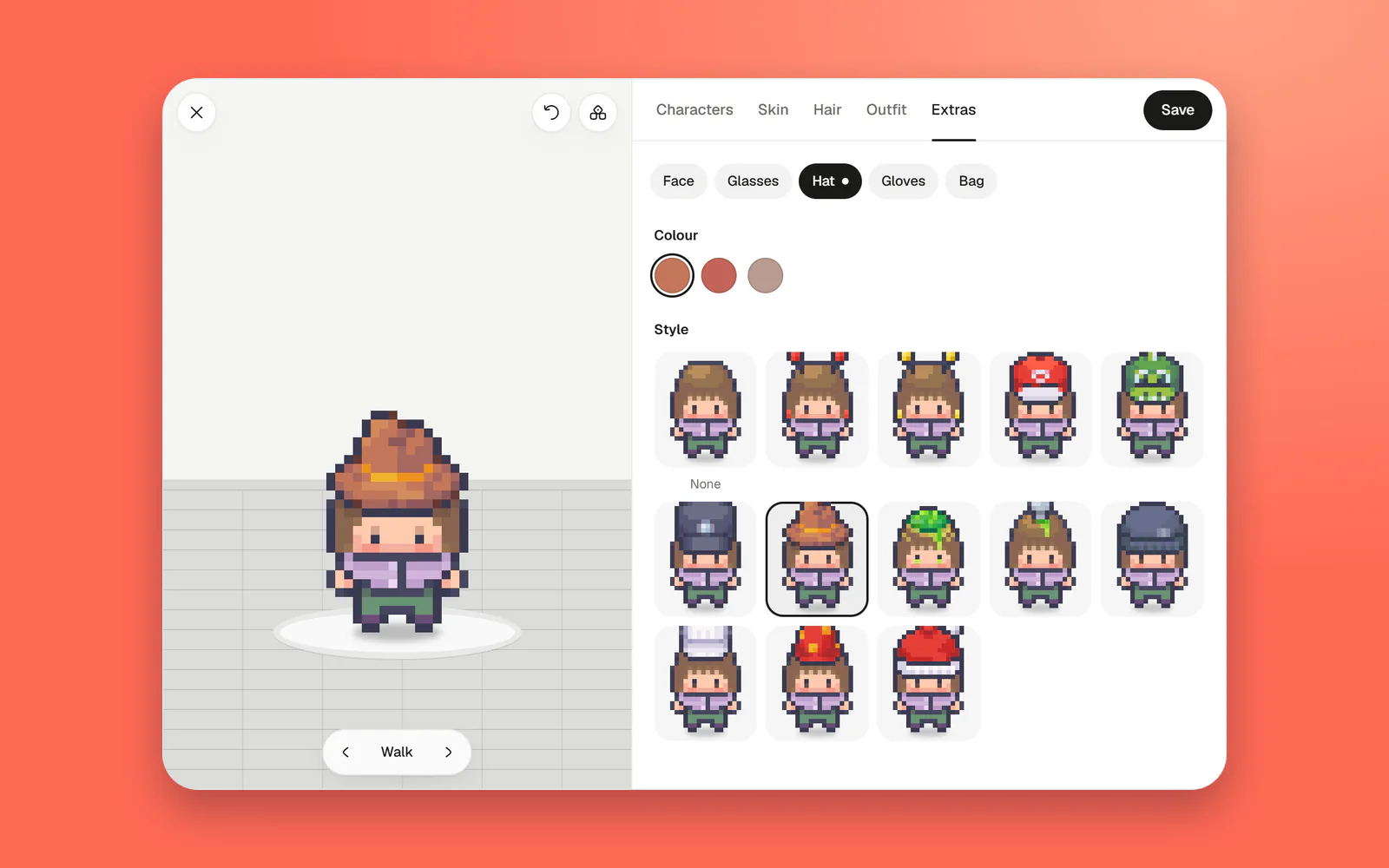
Your character has a dressing room: start from one of 16 characters, then change its skin, hair, outfit and extras like hats, glasses and bags, with a preview that walks as you go.
Where to find it
Select your face at the left end of the dock, at the bottom of the floor, then Change how you look. The dressing room opens over the floor with your character on the left and what you can change on the right.
What you can change
Start from any of 16 ready-made characters, or build your own: skin, hair (style and colour), outfit, and extras, which are faces, glasses, hats, gloves and bags, most of them in a few colours.
The preview shows each choice on your character as you point at it, and you can turn it round or set it walking, to see the look the way the floor will. Undo goes back a step, and Randomize picks a whole new look to start from.
Everyone sees it at once
Save, and your character changes where it stands. You don't leave the floor to do it: a call you're on goes on, and nobody hears you arrive again. Your character's face in the dock changes with it.